Splitwise alternatives in India (2026): what to look for, and where Splitzy fits
Splitwise made the category, and for many people it is still fine. But the free tier has tightened over the years, the app is built around card payments that do not exist here, and a lot of us just want to record a UPI transfer and move on. Here is what to actually compare, and where Splitzy sits, written by the people who make it, so read it with that in mind.
What matters for a group in India
- UPI as a first-class way to settle. You are not going to pay a friend through the app. You will send money on GPay or PhonePe and want to record it with the reference in two taps.
- No daily limits on adding expenses. A trip produces twenty entries a day. An app that rations that is not free in any useful sense.
- Works without signal. Hill stations, trains, basements. If the app needs a connection to add an expense, the expense does not get added.
- Rupee formatting and the currencies you meet abroad. ₹1,23,456 should look like that, and a dollar hotel on a rupee trip should convert.
- No advertising. An app that watches what you spend in order to sell ads is a poor trade for a free service.
Where Splitzy stands on each
| Need | Splitzy |
|---|---|
| Settling by UPI | Record any payment with method and reference. The app never holds money. |
| Limits | None. No daily cap on expenses, no paywalled split types, no pro tier. |
| Offline | Add expenses and payments with no network; they sync when you are back online, and nothing is lost quietly if the server rejects one. |
| Currencies | Over 150. Each expense keeps its currency; totals, balances and budgets convert into the group currency. |
| Ads and trackers | None. No advertising SDK, no analytics tracker. |
| Cost | Free. It is a personal project, not a venture-funded one. |
What Splitzy does not do
Being honest is the point of this page. Splitzy does not move money, so there is no in-app payment button; you settle outside and record it. There is no receipt scanning yet; you attach the photo, you type the amounts. There is no iOS App Store listing yet, only Android and the web app. If any of those are essential, another app may suit you better today.
What the same features look like in practice
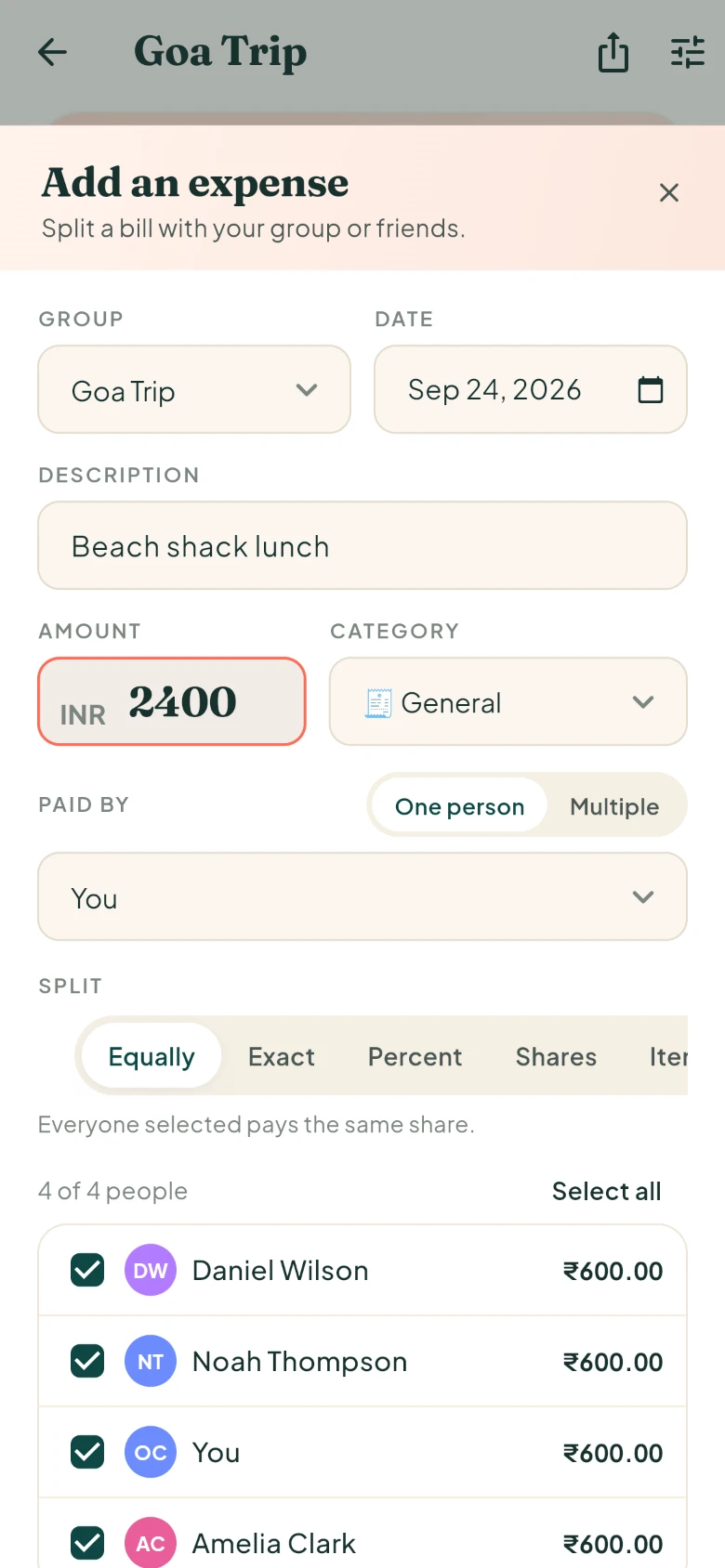
The five split types (equal, exact, percentages, shares, itemized), multiple payers on one bill, group budgets, recurring expenses, reports by category and person, CSV import and export, and the simplify-debts settlement are all included. The features section on the home page lists them with screenshots.
Moving over from another app
Export your existing group to CSV if your current app allows it, and import the file into a Splitzy group: date, description, amount, currency, category, who paid and how it was split. Rows the importer cannot read are reported rather than dropped, so you can fix and re-run. Balances are recomputed from the imported expenses, so the history comes with you.
Try it on your next bill
Splitzy is free, has no ads, and works without signal. Create a group, add the first expense, and let it keep score.